brightwheel: Childcare App
- 4.7
- Rating
- 1.00M
- Installs
- Free
- Price

 Analysis by App-foxy
Childcare software usually sounds useful in theory, but I only find it worthwhile when it reduces the small communication tasks that consume a parent’s or educator’s day. brightwheel is built around that exact problem. It brings daily updates, attendance, sign-in and sign-out, billing, and learning-related tools into one education-focused app instead of leaving a childcare center to manage everything through paper notes, separate messages, and spreadsheets.
After spending time with it, my impression is that brightwheel works best as a shared system between childcare providers and families. It is not simply a parent diary, and it is not merely an attendance clock. Its value comes from connecting routine records with communication and administrative work. That makes it especially practical for preschools, daycare centers, and other early-childhood settings that need families and staff to see the same information.
The app is developed by brightwheel and is available free of charge. It is rated for Everyone, which fits its role as a family and childcare-management tool rather than an app intended for children to operate independently. The current version is 5.66.3, and it requires iOS or Android 12 or later. That operating-system requirement is worth checking before recommending it to a relative with an older phone.
You May Also Like

 Blood Strike: 2.5 Anniversary
Blood Strike’s Loadouts Turn Every Drop Into a Tactical Gamble
A close look at Blood Strike’s custom loadouts: how fast access to signature weapons reshapes its battle royale rhythm, rewards preparation, and narrows the gap between fights.

 Pandora - Music & Podcasts
Pandora’s Music Is Easy to Start, but Harder to Recover
Pandora’s strength is its low-effort path from a seed to a station. Its weak spot is how much confidence it asks you to place in connection, setup, and quiet recovery.

 8 Ball Pool
 Is Built on Rivalries, Rematches, and Routine
A close look at the rivalries, rematches, shared routines, and unanswered safety questions that turn a quick pool match into a persistent mobile community.

 Samsung Music
’s Quiet Strength Is Playing What You Already Own
Its reach comes less from spectacle than from dependable access to a personal library. That simplicity is both the app’s strongest retention engine and its ceiling.

 AccuWeather: Weather Radar
AccuWeather Review: A Quick, Clear Forecast for Everyday Decisions
For everyday plans, the best forecast is the one you can understand quickly. AccuWeather makes rain timing, radar, and local conditions easy to act on, with a few trade-offs.

 Hill Climb Racing
Why Hill Climb Racing Still Turns Crashes Into One More Run
A tiny car, a bumpy hill and one more upgrade: Hill Climb Racing keeps resurfacing because its simple chaos makes every near-miss feel personal.
More From Our News Desk



How brightwheel fits into everyday childcare
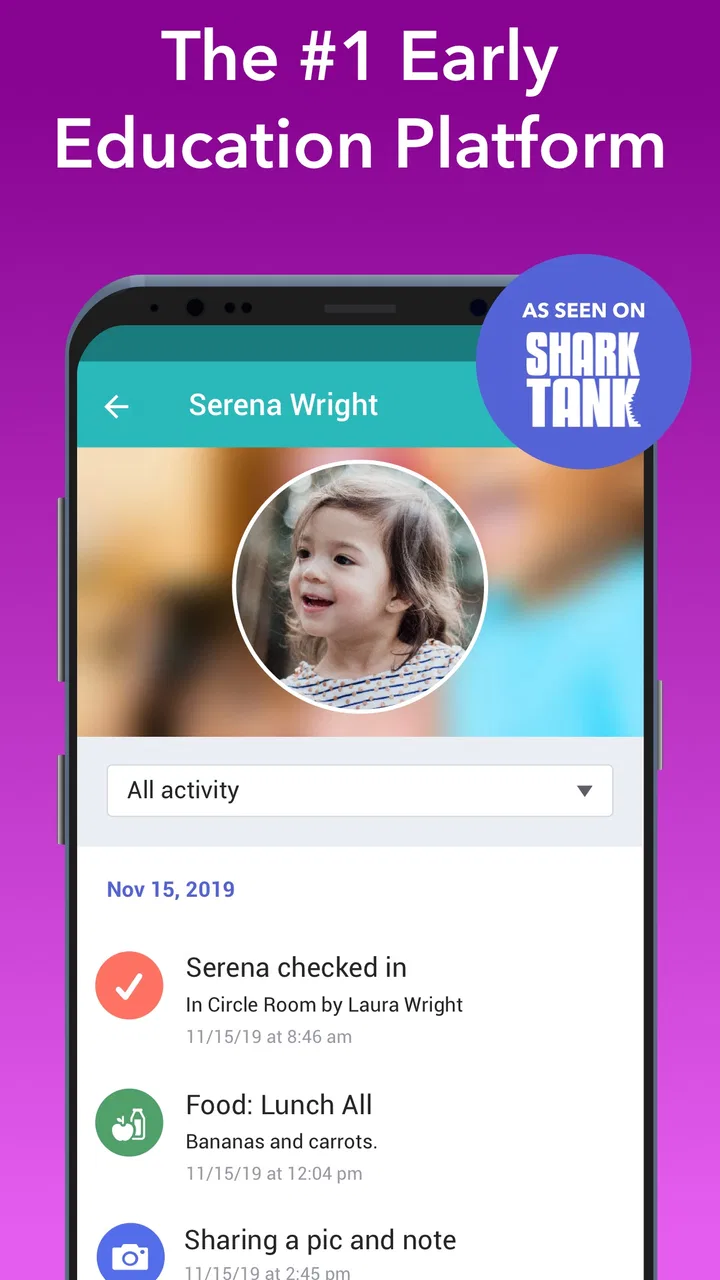
The most useful way to understand brightwheel is to imagine a normal childcare day. A child arrives in the morning, a parent or authorized adult completes sign-in, staff record activities and care details, and the family later checks what happened. If there is a meal, nap, diaper change, lesson, message, or pickup update to share, the information can be kept within the same childcare relationship rather than scattered across paper forms and unrelated chat threads.
That workflow matters because childcare information is time-sensitive. A parent may want to know whether a child ate before pickup, while a teacher may need a clear record of who has arrived and who is still expected. A single shared timeline can make those exchanges easier to follow than a notebook that travels home, or a group message where important details disappear under newer replies.
I also like the distinction between the family-facing experience and the center’s administrative work. Parents generally want quick visibility and simple actions. Staff need consistent records, attendance handling, learning documentation, and billing support. brightwheel attempts to serve both sides, so its usefulness depends heavily on how thoroughly a childcare provider adopts it. If a center uses only one part of the system, families may still need the old paper or messaging routines.
That is the first important practical point: brightwheel is not something a parent can fully evaluate in isolation. The provider’s setup determines what appears in the app, which tools are active, and how consistently updates arrive. A beautifully organized app cannot create a daily report if staff do not enter one, and a parent cannot turn it into a complete childcare record without cooperation from the center.
Daily information is more useful when it has context
Many childcare apps focus on sending isolated updates. brightwheel’s broader approach is more helpful when information needs to be understood later. A note about a meal is more useful when it sits alongside the rest of the day’s care record. An attendance entry becomes more meaningful when it is connected to pickup planning and family communication. This context is one of the app’s strongest ideas.
For example, imagine a parent who works until late afternoon and cannot ask a teacher several questions at pickup. Instead of relying on memory, the parent can review the child’s day before arriving and ask only about something that genuinely needs clarification. That saves time for both sides. It also makes the pickup conversation more personal, because it is less likely to become a rushed checklist of routine facts.
There is a useful trade-off here. More recorded information can improve visibility, but it can also create noise. Families may not need to inspect every update immediately, and staff should not have to treat every small observation as a formal report. I would use brightwheel as a dependable reference for the day, not as a reason to monitor a child continuously from a phone.
Attendance and sign-in are practical strengths
Sign-in and sign-out are among the clearest reasons for a childcare center to adopt this kind of app. A digital record can be easier to review than handwritten sheets, especially when several adults handle drop-off and pickup. It also gives families a more direct role in the arrival and departure routine instead of making them depend entirely on staff to communicate that the record has been updated.
The hidden benefit is consistency. When a center uses one process for attendance, staff have fewer opportunities to misread handwriting or lose a paper entry. Families also know where to look when they need to confirm the day’s basic status. That does not remove the need for careful staff procedures, but it can reduce one category of avoidable confusion.
My advice is to clarify the center’s pickup workflow before relying on the app. Ask who is expected to complete sign-out, how authorized pickup adults are handled, and what happens if a phone is unavailable. The app can support a process, but it should not be mistaken for the process itself. A childcare provider still needs clear human rules for unusual arrivals, emergencies, and disputed records.
Billing belongs in the same conversation
Billing tools make brightwheel more substantial than a simple daily-update app. Keeping childcare communication and payment-related administration in one place can be convenient for parents who are tired of switching between a center’s messages, invoices, and separate payment arrangements. It can also give staff a more organized way to connect family accounts with the services they provide.
Still, I would not assume that every financial detail works identically at every center. The provider controls its own arrangements, and families should read the center’s instructions carefully before treating the app as the complete financial record. The important question is not just whether billing exists, but whether the childcare provider actually uses it as the main channel and explains how corrections, questions, and receipts are handled.
This is also where the free price needs to be understood properly. The app itself is free to download and use, but that does not mean childcare is free, nor does it establish that every financial service connected with a provider has identical terms. I see brightwheel as a free access point to a childcare-management relationship, not as a promise that the underlying childcare or payment obligations cost nothing.
Learning tools can connect care with development
The learning side gives the app more value for families who want to understand what happens beyond meals, naps, and attendance. Early-childhood care is not only supervision; children are also building language, social, motor, and problem-solving skills. A tool that helps staff record learning activities can give parents a better view of that broader experience.
The important nuance is that digital documentation should support professional observation, not replace it. A short activity entry may help a parent start a conversation, but it cannot capture every detail of a child’s participation, mood, or progress. I would treat learning updates as useful prompts: they can show what themes or activities are being explored and help families continue a conversation at home.
One non-obvious advantage is continuity. When care updates and learning notes live near each other, parents may notice patterns that are easy to miss in separate systems. A child who is tired after a particular routine, excited by a recurring activity, or adjusting to a new classroom may be easier to discuss when the relevant information is not isolated in different channels.
Where the app can create friction
The main weakness is not a missing headline feature; it is dependence on disciplined use. Staff have to enter information accurately and at sensible times. If updates arrive late, appear inconsistently, or vary widely between classrooms, families may lose confidence even though the software itself is working as intended.
There is also a learning curve for centers. A childcare team may be comfortable with paper records but less comfortable changing established routines. Training, device availability, and agreement about who records what can affect the experience more than the app’s interface. Before choosing brightwheel for a center, I would ask for a demonstration from the actual provider rather than judging it solely from the family app.
Families can face friction too. Parents with multiple children, shared custody arrangements, irregular pickup schedules, or several authorized adults should pay attention to how their center organizes accounts and permissions. The app may simplify these situations, but the setup needs to be correct. A digital record is only helpful when the right people can access the right child’s information without confusion.
Another trade-off is notification pressure. Childcare updates are reassuring, but too many alerts can make the app feel like another inbox. I would recommend checking the notification settings early and deciding which messages need immediate attention. For routine daily information, a planned review can be calmer than reacting to every alert as it arrives.
How it compares with paper, messaging, and separate tools
Compared with paper daily sheets, brightwheel is easier to search, harder to misplace, and more convenient for families who cannot stay for a long pickup conversation. Paper still has one advantage: it is simple, familiar, and does not require a charged phone or an account. A center that has excellent paper procedures may not gain enough from switching unless it also needs centralized communication, attendance handling, or billing support.
Compared with ordinary messaging apps, brightwheel is more structured. A group chat is good for a quick announcement, but it is a poor long-term record for attendance, care details, and financial administration. Messages get buried, family-specific information can become awkward to organize, and staff may end up repeating the same answers. brightwheel’s advantage is that childcare information has a designated home.
Compared with using separate attendance, billing, and learning systems, the app’s appeal is consolidation. One connected service can reduce the number of places families and staff must check. The compromise is flexibility: a specialized tool may handle one narrow task better, while a unified system may be easier overall but less tailored to an organization with unusual requirements.
I would choose a separate arrangement when a provider already has a reliable administrative system, needs highly specialized reporting, or cannot commit staff time to maintaining another platform. I would choose brightwheel when the current routine is fragmented and families regularly have to ask where information is located.
Who is likely to get the most value
Parents get the most value when their childcare center uses brightwheel consistently for daily records, attendance, communication, and billing. It is particularly useful for working families who cannot have long conversations at drop-off and pickup, or for parents who want a clearer record of routines without sending repeated questions to teachers.
Childcare directors may appreciate the centralization more than individual parents do. A director is often balancing classroom communication, attendance oversight, family questions, and administrative tasks. Bringing those areas into one environment can make the operation easier to coordinate, provided the center establishes clear responsibilities instead of expecting the app to solve every workflow automatically.
Teachers can benefit when the system reduces duplicate writing and gives them a consistent way to share observations. However, it is not automatically a benefit if documentation expectations become excessive. A center should decide which updates genuinely help families and which entries merely add workload without improving care or communication.
I would be cautious if you are looking for a child-led educational app, an entertainment app, or a tool your child can use independently. brightwheel is designed around the adult relationship between childcare providers and families. Its best audience is not a child sitting alone with a tablet; it is the parent, teacher, and administrator who need a shared record.
Practical questions to settle before relying on it
Before joining a center’s brightwheel setup, I would ask how often daily updates are posted and what categories the center actually uses. This tells you whether the app will be a meaningful window into the day or mainly an attendance and billing channel. Both uses can be valid, but expectations should be clear.
I would also ask what happens when a child is picked up by someone else, when a device is unavailable, or when an entry needs correcting. These questions reveal the center’s backup procedures and are more important than simply knowing that sign-in and sign-out are available. Good childcare technology should make exceptions manageable, not leave staff improvising at the front desk.
For billing, confirm whether brightwheel is the center’s primary place for invoices and payment communication. Since the app is free, the relevant value question is not whether you pay to install it. The real question is whether the provider’s use of its administrative tools saves you enough time and uncertainty to justify adopting another account and routine.
Finally, check device compatibility before making it part of your daily plan. The app requires Android or iOS 12 or later, so an older phone may need an operating-system update or a different way to access childcare information. This is a small detail, but discovering it during a rushed morning is exactly the kind of avoidable friction a childcare app should help prevent.
My verdict on the free app
brightwheel has a strong practical purpose: it connects the everyday childcare details that families and providers otherwise manage through disconnected methods. I value the combination of daily sheets, attendance, sign-in and sign-out, billing, and learning tools because it reflects how childcare actually works. The app is more useful as a shared operating routine than as a standalone download.
Its free access makes trying it reasonable, but free does not automatically mean valuable. The value depends on the childcare provider’s consistency, the quality of its setup, and whether the family genuinely needs one place for communication and records. The app cannot compensate for vague pickup rules, delayed updates, or poor administrative habits.
Its adoption is already substantial, with more than a million installs, a 4.7 average from around eleven thousand ratings, and roughly three thousand seven hundred written reviews. Those figures suggest that many families and providers find the approach useful, but they should not replace checking how your own center operates it.
My recommendation is to use brightwheel when your childcare provider is committed to making it the shared source for daily information and administration. In that situation, it can replace scattered notes and messages with a calmer, more traceable routine. I would skip it as a personal download if your center barely uses it, if you need a child-focused learning experience, or if your organization already has a dependable system that staff and families understand. For the right childcare setting, though, brightwheel is a sensible free tool whose real strength is not one feature, but the way several ordinary childcare tasks meet in one place.
FAQs for brightwheel: Childcare App
01What is brightwheel and who is it for?
Brightwheel is a comprehensive childcare management app designed for daycare centers, preschools, and early education programs. It caters to administrators, teachers, and parents by streamlining communication, attendance tracking, billing, and daily activity updates. This app is ideal for anyone involved in early education who seeks to enhance engagement and efficiency in managing childcare operations.
02How does brightwheel enhance communication between parents and teachers?
Brightwheel allows seamless communication through its messaging feature, enabling teachers to send real-time updates, photos, and videos of children’s activities. Parents can receive instant notifications and respond promptly, fostering a more connected and informed relationship. This feature ensures transparency and keeps parents actively engaged in their child’s daily preschool experience.
03What are the key features of brightwheel that benefit educators and administrators?
Brightwheel offers a range of features such as attendance tracking, digital daily sheets, lesson planning, and secure photo sharing. Administrators can manage billing and invoicing through the app, while educators benefit from streamlined classroom management tools. These features collectively save time, reduce paperwork, and improve overall program efficiency.
04Is brightwheel secure and how is user data protected?
Yes, brightwheel prioritizes user security by employing robust encryption methods for data protection. The app complies with all relevant privacy laws and regulations, ensuring that personal information is stored securely. User access is password-protected, and sensitive data is only accessible to authorized personnel, providing peace of mind to both educators and parents.
05Can brightwheel be customized to fit individual program needs?
Brightwheel is highly customizable, allowing programs to tailor features to their specific requirements. From setting up custom daily reports to adapting attendance tracking methods, users can adjust the app to align with their unique processes. This flexibility ensures that both small and large childcare centers can efficiently utilize brightwheel's capabilities.
Pros
- User-friendly interface for quick navigation.
- Comprehensive activity tracking for parents.
- Secure communication between staff and parents.
- Real-time updates on child’s daily activities.
- Customizable check-in/out features.
Cons
- Limited offline functionality.
- Some features require in-app purchases.
- Occasional syncing issues with updates.
- Steep learning curve for new users.
- Limited support for certain devices.

brightwheel: Childcare App
Gallery